
For many small and medium-sized companies, the biggest challenge of online sales isn’t how the website looks, but the day-to-day work behind it: updating products, tracking stock, processing orders and reconciling data with accounting.
Building an online store should therefore start with understanding the business process. A nice catalog and a simple cart are important, but the store also has to be practical for the people who manage it.
When the store and the business software work separately
Imagine a company that already manages items, prices and available quantities in an ERP or accounting program. The company launches an online store, but the new system isn’t connected to the existing records.
With every price change, an employee also has to update the web catalog. When a product is sold in a physical store, its stock on the website may stay unchanged. When an online order arrives, the customer and item data are retyped into another program.
That way of working can be sustainable with a few products, but as the range and the number of orders grow, so does the risk of inconsistent information.
A practical example: from a product in the ERP to a purchase on the website
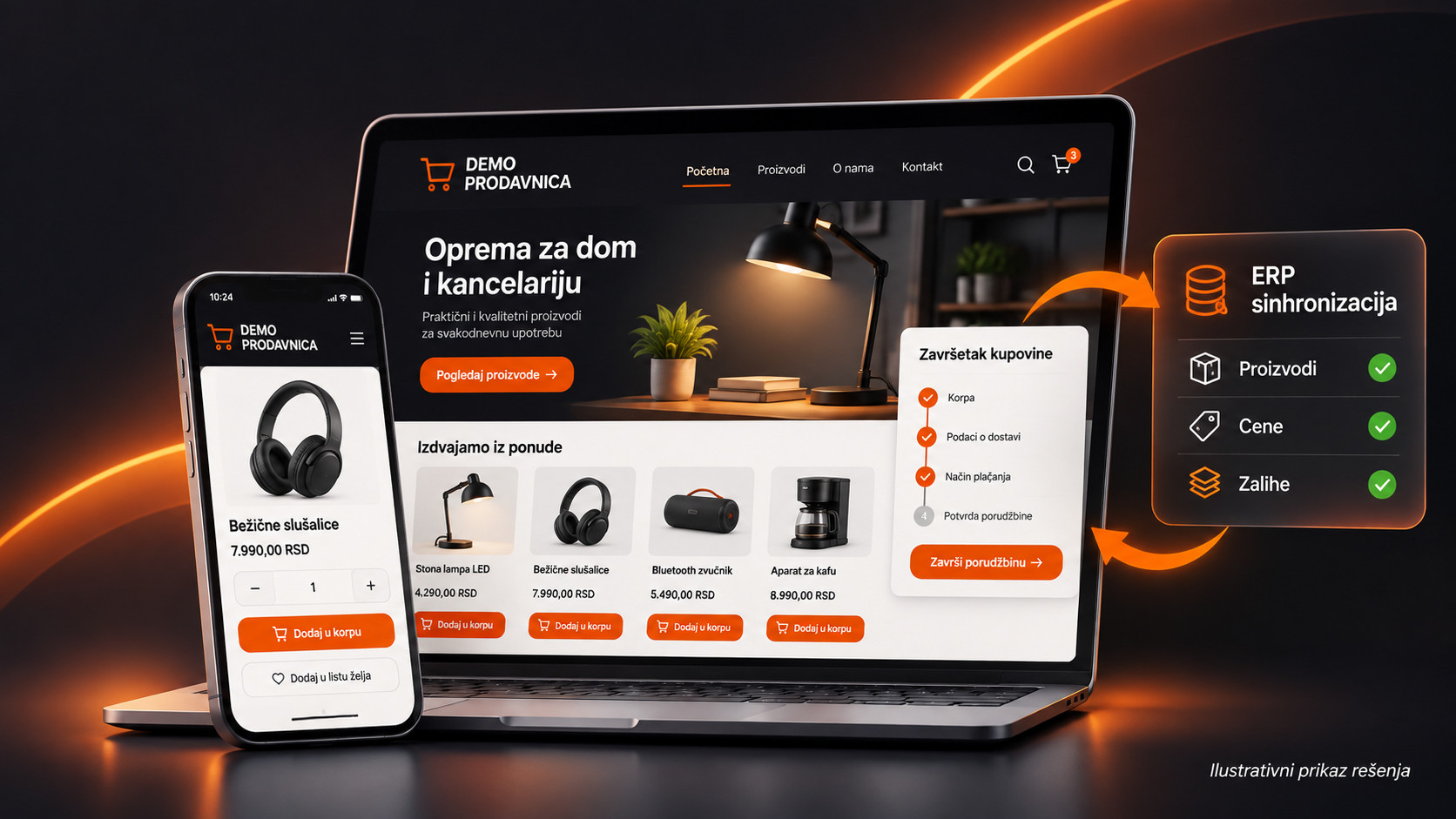
We will take an illustrative example of a WooCommerce store that sells home and office products. The company already has a business system and wants online shopping to be connected to the data it uses every day.
1. The product is recorded in the business system
The business software holds the item code, name, price and available quantity. If needed, the data important for web sales is pulled from that source. Photos, the description intended for customers and the categories on the website can be edited separately, if that is how the workflow is defined.
The key is to be clear about which system is the main source for each type of data. For example, the ERP can determine stock, while the store editor controls the description, photos and SEO title.
2. The customer finds the product and places an order
On the website the customer browses categories, opens the product page, checks the price and availability, adds the item to the cart and completes the order. A good user interface lets this flow run without unnecessary steps, on a phone as well.
3. The order is processed in the agreed system
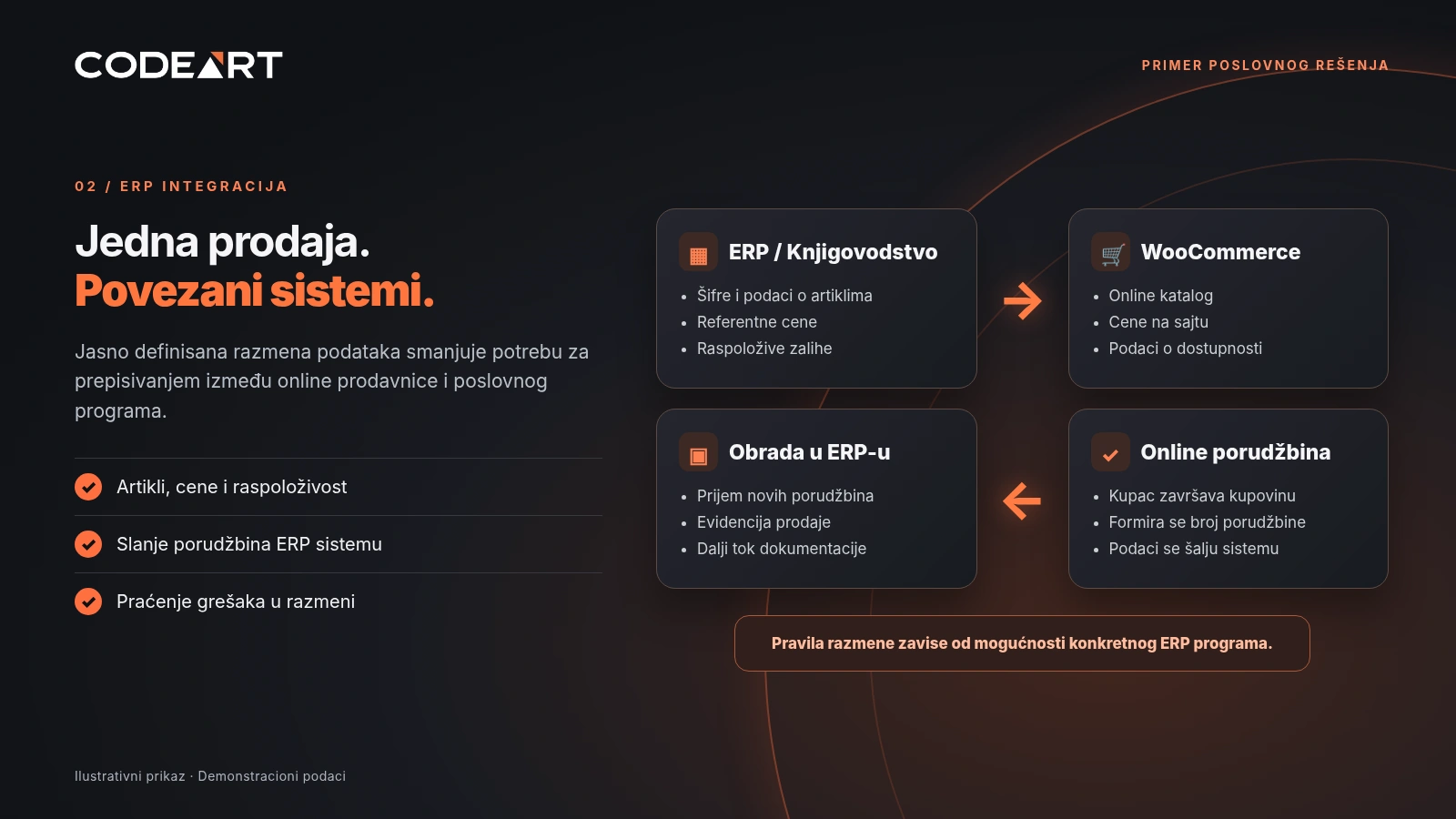
WooCommerce stores the data about the new order. If the integration supports it, information about the items, quantities, customer and chosen delivery method is passed on to the ERP. How it is processed further depends on the business rules and the capabilities of the specific program.
This way employees don’t necessarily have to re-enter all the data. Instead of retyping, they can focus on checking and processing the order.
How does connecting a WooCommerce store to an ERP system work?
WooCommerce has capabilities for exchanging data with other systems, including an application programming interface (API). This makes it possible to develop an integration, but it doesn’t mean every ERP program can be connected without additional analysis or customization.
In practice, we first check how the ERP can send and receive data — through an API, files or another supported mechanism. Then we determine what is transferred, when it is transferred and how the same item is recognized in both systems.
Product, price and stock data
Most often the things considered are item codes, names, base prices and available quantities. If the company has special price lists, promotional prices or several warehouses, the rules need to be defined in more detail. Simply switching on automatic refresh is not enough.
Order data
For orders it is important to agree on the moment of sending to the ERP: immediately upon creation, after payment confirmation or on a status change. Handling of delivery, discounts, taxes and possible order cancellation also needs to be aligned.
Error control and repeated transfers
A reliable integration should anticipate situations when the other system is temporarily unavailable. Error logging, the ability to retry and protection from importing the same order twice are just as important as the data exchange itself.
What does the customer see, and what does the company get in the administration panel?
On the public side of the store the priorities are clear categories, quality photos, understandable descriptions, a display of the price and purchase costs, and a simple order checkout.
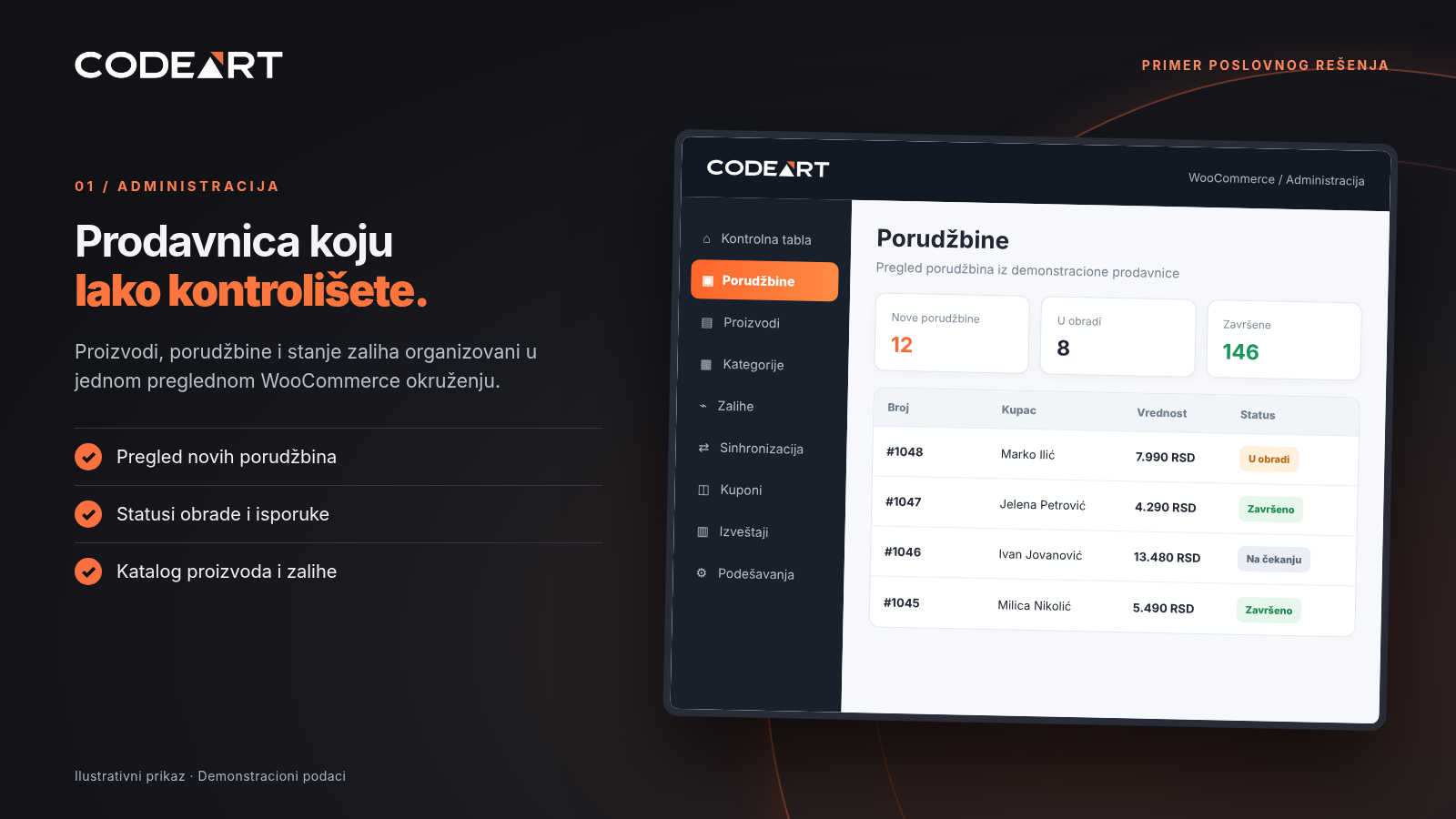
In the administration panel, what matters is a product overview, order statuses, useful reports and clearly separated employee responsibilities. These two sides should be designed together: a store isn’t finished just because it looks good on the front page.
Online store SEO is not just a list of keywords
For an online store, SEO starts with a well-organized catalog. Clear category names, unique product descriptions, logical navigation and a proper URL structure help both customers and search engines.
It is especially important that importing a large number of items doesn’t result in hundreds of pages with unclear titles, repeated descriptions or empty categories being published. It is also useful to define rules for filters, variations, sold-out products and page indexing.
Loading speed, a clear mobile view and an orderly checkout process affect the visitor experience. Technical setup of the website matters, but no single optimization guarantees first place on Google.
Does every online store need an ERP integration?
No. If a company has a small number of products and orders, a simple WooCommerce store without a connection to the business software can be a perfectly good solution.
Integration becomes especially useful when there is a large catalog, frequent changes in prices or stock, multiple sales channels, or a need for online orders to enter the existing business workflow.
The best solution is not necessarily the one with the most features, but the one that fits how the company really works.
How do we approach building a WooCommerce store?
Product and sales process analysis
We define the range, the category structure, payment and delivery methods, and the needs of the employees who will manage the store.
Store design and development
We prepare the product display, cart, checkout process and a responsive look in WordPress and WooCommerce.
Integration when needed
We check the capabilities of the business software, agree on the direction and rules of the exchange, and test cases such as a price change, an unavailable item and a resubmitted order.
Testing and go-live
We check shopping on a computer and a phone, price display, delivery calculation, email notifications, administration access and synchronization behavior.
Frequently asked questions about building a WooCommerce store
What is WooCommerce?
WooCommerce is an online sales system that runs within WordPress. It lets you manage the catalog, cart and orders, with additional settings and extensions according to the needs of the project.
Can WooCommerce be connected to my ERP or accounting software?
It is possible in many cases, but first you need to check whether the business software has an API, supports data export and import, or offers another way of integrating.
Is the stock level updated automatically?
It can be, if it is agreed and implemented that way. The update frequency and what happens when there is no connection are important parts of planning the integration.
Can I add products myself?
Yes, within the assigned permissions and agreed working rules. If the ERP is the main source of items, you need to determine which data may be changed directly on the website.
Can the store have multiple payment and delivery methods?
It can, depending on the chosen service providers, business rules and the required WooCommerce settings or plugins.
How much does an online store cost?
The price depends on the size of the catalog, design, required features, payment and delivery methods, and the complexity of any ERP integration. That is why a realistic estimate is made after analyzing the requirements.
Note: The screenshots and business data are illustrative examples of a possible solution, not a public demonstration of a specific client’s system.